Legenda: subtitles for the conversation you are in
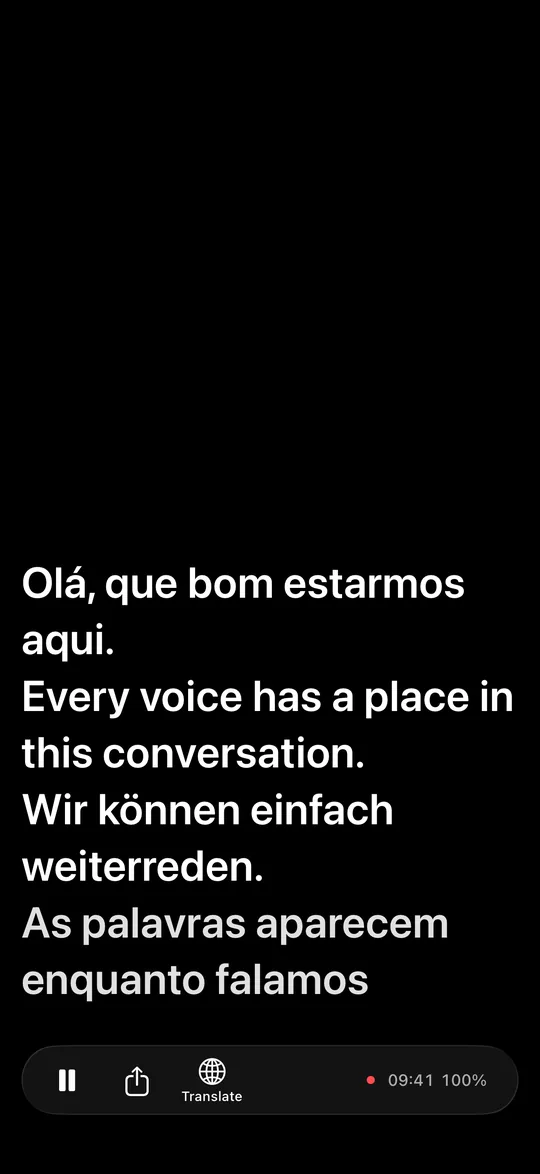
A missed word should not cost you the next sentence. Put your iPhone on the table. Read what is said, with a translation below when you want one.
Johannes Klumpe · Technical note · November 2026
Abstract. In a language you are still learning, a live conversation can move faster than you can follow. Asking for a repeat interrupts it. Guessing risks an error. Staying silent means dropping out. Legenda puts live captions on the table, with optional translation. You can read back, then return to the live line. The transcript becomes your notes. After setup, speech recognition and translation run offline on the iPhone. You control what leaves it. Six languages can share one conversation. This note sets out the evidence and the limits.
- Runs on
- iPhone · iOS 26 or later · portrait and landscape
- Device tested
- iPhone 18 Pro only
- Input
- The iPhone microphone
- Output
- Live captions, optional translation, plain-text transcript
- Network
- Needed for setup and new translation pairs; offline afterwards
- Status
- Private beta on TestFlight. Not on the App Store yet.
1 PremiseEvery way of recovering a missed word has a cost
A non-native speaker has to understand the sentence and keep a place in the conversation. Losing one word can make the next sentence harder to follow. The usual repairs ask something of the speaker or the listener.
| Response | What it gives you | What it costs |
|---|---|---|
| Ask for a repeat | Another chance to hear the words | The conversation stops for the repair |
| Guess | A way to keep going | A wrong word can change the meaning |
| Stay silent | Time to listen | You lose your part in the exchange |
| Read Legenda | Captions beside the conversation | A glance at the phone; captions can be wrong |
Table 1. Common responses to a missed word. These are tradeoffs, not a claim that every conversation follows the same pattern.
Legenda adds a written path back into the conversation. The name is the Portuguese word for subtitle. The app on the phone is called Legenda.
Room: people talking
↓ sound entersiPhone · processing after setup
↓ Share · only when you tap it
Your chosen app receives the transcript
2 Claim 1You can follow the words without asking the speaker to stop
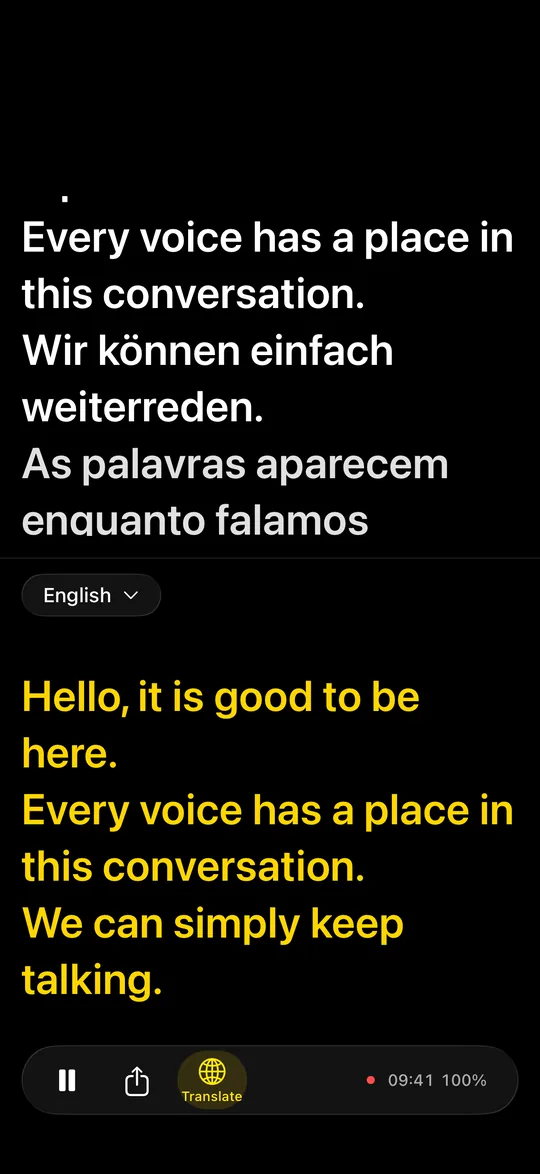
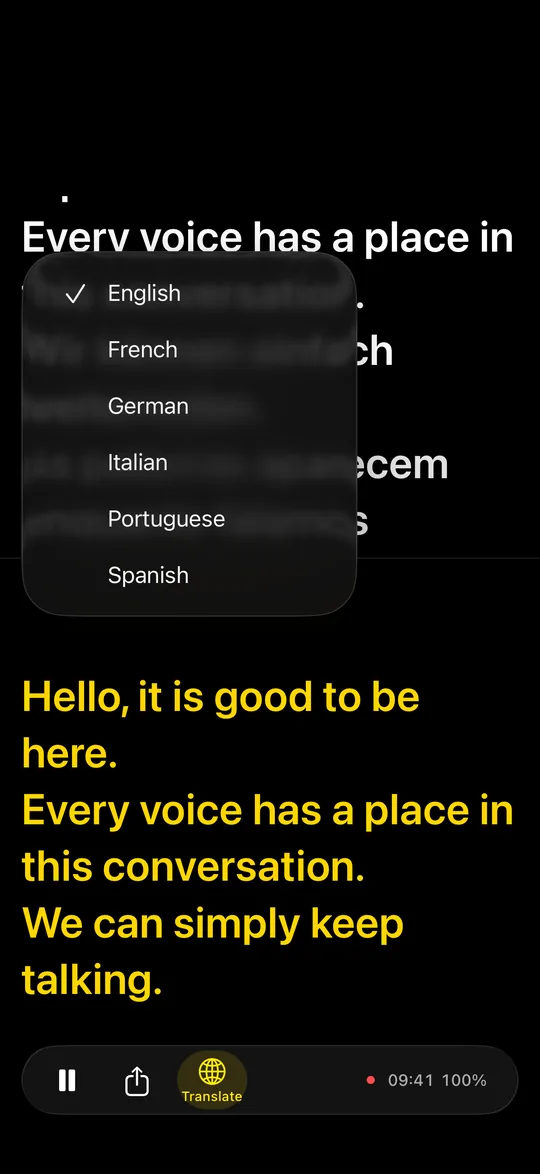
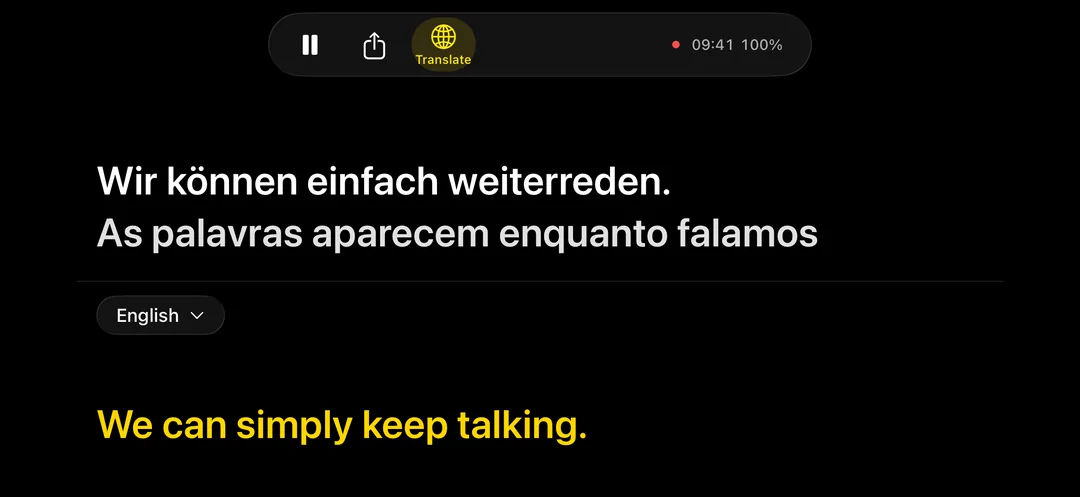
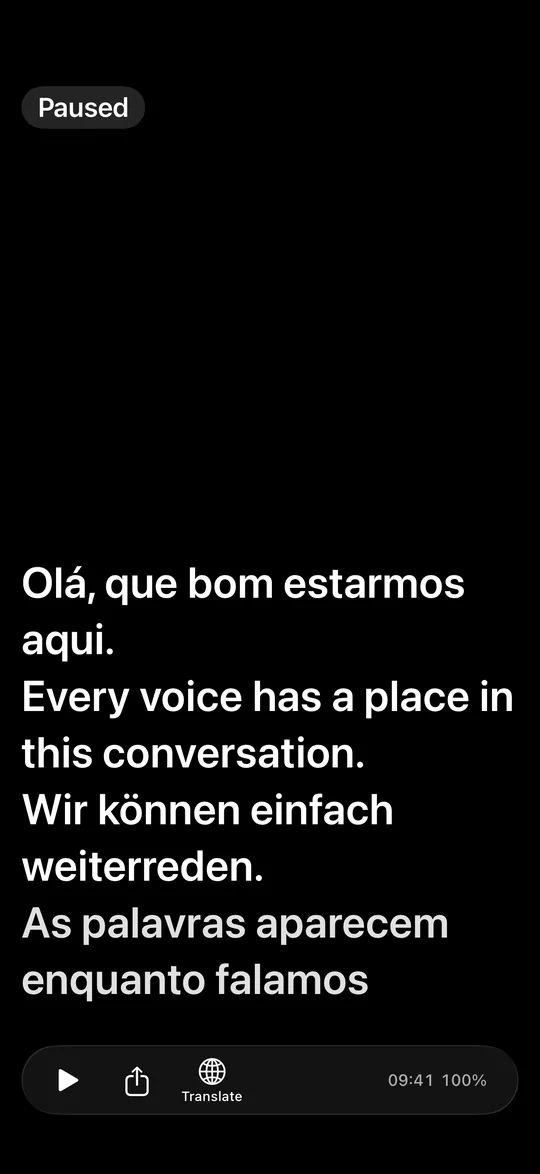
The phone lies on the table and listens through its microphone. Captions show what is said. Turn on Translate to split the screen: captions above, translation below in yellow. One menu selects the target language.
Translation works on finalized caption lines. A line ends at a pause or at a length limit, so it can end in the middle of a sentence. The translation therefore trails the caption. It can also wait for a language download or for earlier lines. A line already in the target language appears unchanged. The screen stays awake while the app listens.
In the author's field logs from one iPhone 18 Pro, a recognition pass took about 0.2 to 0.3 seconds. Captions updated about every 1.5 seconds. A pass time measures recognition work, not the delay from speaking a word to seeing it.
3 Claim 2A missed line stays within reach
Scroll up to read again what was said a minute ago. New lines do not pull you back while you read older captions. Tap Live, or scroll to the bottom, to return to the live line. Each pane scrolls on its own.
| Your action | What the view does |
|---|---|
| Read older captions | Keeps your place as new captions arrive |
| Read older translation | Scrolls independently of the captions |
| Return to Live | Follows the newest line again |
Table 2. The scroll rule is the same in portrait and landscape. Display history is limited to the most recent 200 caption lines; the export has a separate limit.
4 Claim 3The transcript is the notes
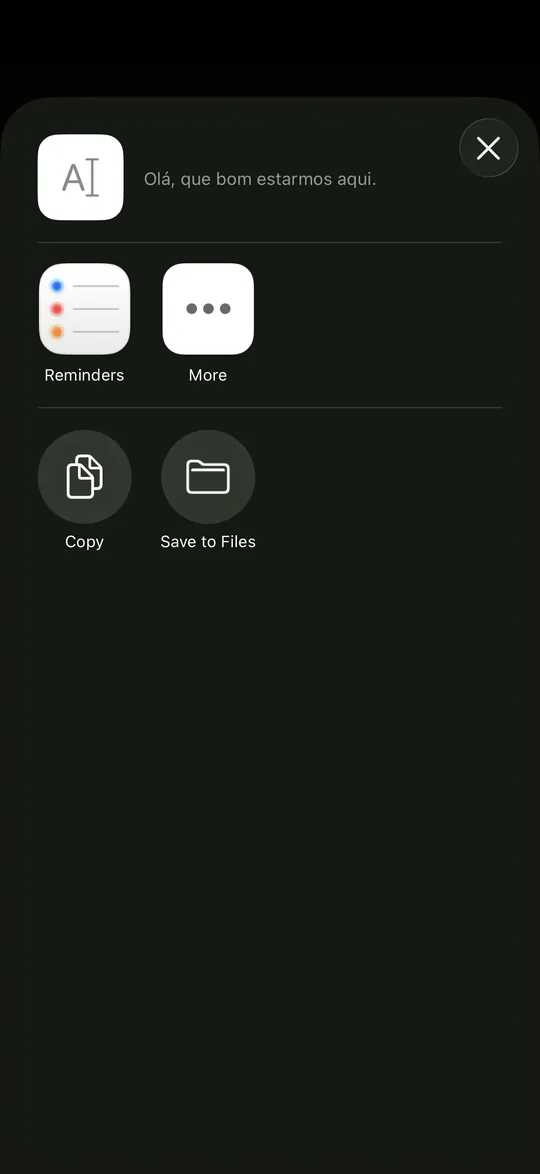
You do not have to write the words down again. Share transcript opens the iOS share sheet for Notes, Files, Mail or another app that accepts text. Copy transcript puts the same text on the clipboard.
The transcript contains the captions, not the translation. It is plain text, one line per caption line. It retains up to the most recent 20,000 finalized lines, plus the current unfinished line when you export. If older lines have been dropped, the export says so.
5 Claim 4The conversation runs offline after setup
Speech recognition uses NVIDIA Parakeet, the FluidInference/parakeet-ultra-coreml build, through the open-source FluidAudio library. It runs on the iPhone's Apple Neural Engine. Silero VAD detects voice activity. Apple's Translation framework translates on the device.
First start needs a network connection. Setup downloads about 630 MB for the speech model from Hugging Face, plus about 2 MB for voice detection. It then prepares the speech model for the Neural Engine. iOS downloads a translation language pair the first time that pair is needed. With these assets installed, captions and translation work in airplane mode.
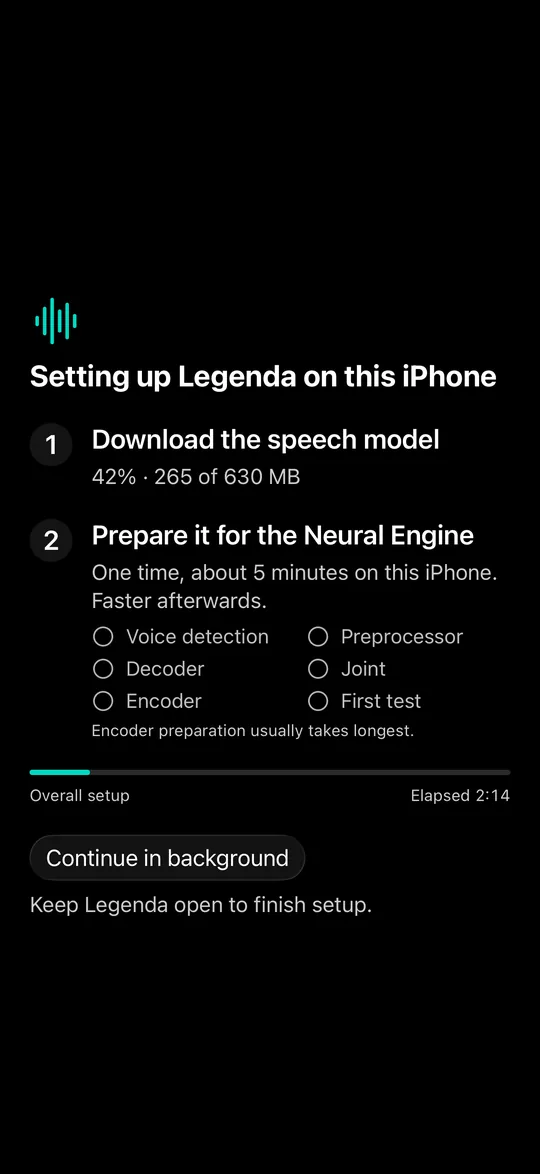
| Stage | Observed time |
|---|---|
| First preparation | 1 minute 50 seconds and 5 minutes 10 seconds |
| Later starts | About 4 seconds |
| Preparation after an update | 1 minute 39 seconds in one observation |
Table 3. Observations from the author's field logs on one iPhone 18 Pro. Preparation is roughly 2 to 5 minutes, separate from the download. An app update can require preparation again. These are observations, not timing guarantees.
6 Claim 5You decide when the conversation leaves the phone
There is no account, no sign-in and no server of ours. The app has no analytics or crash-reporting SDK. Its own network code fetches model files and setup metadata. It does not upload the conversation.
Audio is processed in memory and is not saved. The transcript also lives in memory. It is lost when the app process closes unless you have shared or copied it elsewhere. Switching away from the app is not the same as closing its process.
One exception is explicit. A hidden diagnostics panel has the action Export log (includes captions). It writes a temporary text file with diagnostic events and caption text, and opens the share sheet for it. This happens only when you tap it. The app never saves a session by itself.
Pause and continue use one button. Sharing the transcript, copying it, and exporting a diagnostic log are your actions. Tell the people at the table that your phone is captioning the conversation.
7 Claim 6Six languages can share one conversation
Legenda detects the spoken language automatically for each finalized caption line. People can mix Portuguese, English, German, Spanish, French and Italian in one conversation. The same six languages are available as the target language.
| Language | Captions | Target language | Our speech test |
|---|---|---|---|
| Portuguese | Yes | Yes | 100 utterances per condition |
| English | Yes | Yes | 100 utterances per condition |
| German | Yes | Yes | 100 utterances per condition |
| Spanish | Yes | Yes | Not measured by us |
| French | Yes | Yes | Not measured by us |
| Italian | Yes | Yes | Not measured by us |
Table 4. Supported languages and test coverage. The speech test measures recognition, not translation quality.
The speech model was tested on FLEURS read speech: 100 utterances each in Brazilian Portuguese, German and US English. The noisy condition adds babble at 10 dB signal-to-noise ratio and reverberation to the same utterances. Word error rate counts substitutions, deletions and insertions relative to the reference words. Lower is better.
A separate, small test used synthetic speech with mixed languages. In 29 of 37 checks the expected English word was present in the recognized text. The test checks that the word is present, not where it stands. It is indicative only. Names and loanwords can be wrong.
8 LimitsThe captions remain a reading aid
- Hardware. iPhone only, with iOS 26 or later. It needs a recent iPhone. Development and device measurements used one iPhone 18 Pro; other iPhones have not been measured by us.
- Setup. First start needs a network connection and several minutes. New translation pairs need a download. An update can trigger model preparation again.
- Accuracy. There are six supported languages. In the Mac test, noise raised word error rate from 3.55% to 7.64% for Portuguese, 3.74% to 11.35% for German, and 5.11% to 6.71% for English. Names and loanwords can be wrong.
- Speakers. Legenda does not say who is speaking.
- Translation. It works on finalized caption lines, not word by word, so it trails the captions.
- Heat and battery. The Neural Engine works throughout listening. The phone gets warm and uses battery. The author's iPhone 18 Pro field logs showed the thermal state “serious” in long sessions; the app then decodes less often. Running memory use was about 1.3 GB on that device.
- Use. Captions are a reading aid, not a certified record. Tell the people at the table that the phone is captioning them.
- Maintenance. One person builds it.
9 StatusLegenda is in private beta
Legenda is in private beta on TestFlight. It is not on the App Store yet.